
On AIMS I cannot find the option to book for leave. How do I manage this?
You need to contact Human Resources Management & Development on absence.hrmd@um.edu.mt to query about this option. If you are entitled to this functionality, this department will make the necessary arrangements and liaise with the AIMS Office, which will grant you access.
How do I book for less than a full day's worth of leave?
The Absence Entry Guide [PDF][Intranet], (page 10) goes into extensive detail on how to take less than a full day's worth of leave.
I booked for leave in summer but the screen shows 8 hours rather than 6. Why is this?
Kindly see your leave details report. This will show you the correct figures.
I am not agreeing with the balances shown in the Absences screen. What is wrong?
The below screen’s primary purpose is to serve as an absence entry screen.
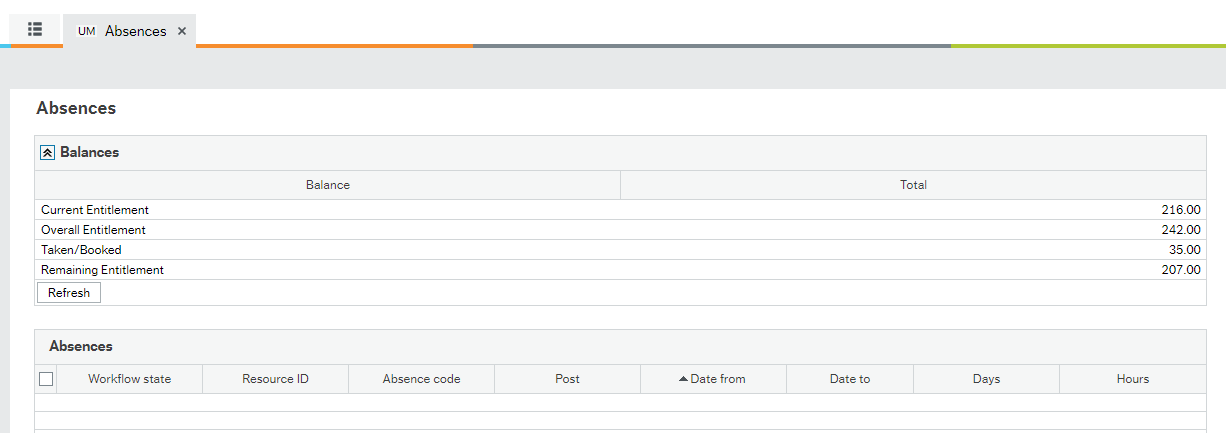
To view the updated balances please visit the My Absence Balances screen.
How do I modify/delete a leave transaction?
Kindly take a look at our Absence Entry Guide [PDF][Intranet] (page 14).
I am unable to delete an absence transaction. Once I refresh the screen, the transaction reappears.
Make sure that you are clicking on the Save button after clicking on Delete.